
Thursday, October 11, 2012
Tech Tools for Teachers: Social-bookmarking
More than 1,500 learning institutions now using Amazon Web Services

Amazon Web Services has announced at the AWS Public Sector Summit in Washington, DC that more than 300 government agencies and 1,500 education institutions are leveraging AWS for a wide range of uses including big data analytics, high performance computing, web and collaboration applications, archiving and storage, and disaster relief.
myEDU launches new tools to help college students connect with employers

Online student platform MyEDU has announced the launch of MyEdu Student Profile and MyEdu for Employers.
Wednesday, October 10, 2012
50 Education Leaders Worth Following On Twitter

How do you discover the education news and research that matters to you? Probably by curating a list of the top thought leaders, local people you want to keep track of, and a smattering of other helpful folks.
ePals launches World Election Center for students

Education media’s ePals corporation oday announced the launch of the ePals World Elections Center, designed to involve students in a range of interactive activities to help them learn about election processes, candidates and issues globally.
Sunday, October 7, 2012
It’s Tablet Time: K-12 Students Find Learning Advantages

Saturday, October 6, 2012
5 Tips to Make Rapid E-Learning Interactive
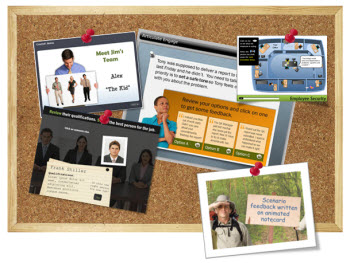
When building rapid elearning with PowerPoint it can be a challenge to get away from linear courses. For one, PowerPoint’s original intent is creating presentations. And they are usually linear. On top of that, many of us have limited time and resources. So building linear, info-centric courses tends to be an easier way to get the projects out the door.
Top 100 Tools for Learning 2012

A learning tool is a tool to create or deliver learning content/solutions for others, or a tool for your own personal or professional learning.
Here is the Top 100 Tools for Learning 2012 as voted for by 582 learning professionals worldwide.
This year I’ve highlighted where the Top 100 Tools are mainly being used – ie for Personal/Professional use, in Education and/or in the Enterprise. (Please note that the absence of a checkmark in a column does not mean that the tool is not, cannot or should not be used for that purpose!)
Touch-Screen Tablets: The Perfect Tech for Kindergarteners

Using technology that lets our youngest students get hands-on with learning at an early age makes sense.
Think about one of the main activities most people associate
with kindergarten: finger painting. It’s a simple, messy, fun way for
kindergarteners to learn about color and expand the boundaries of their
imagination.
But with tablets, and an app that simulates finger painting, teachers can unleash the artistic potential of their fresh-eyed students — without all of the usual mess and cleanup.
But with tablets, and an app that simulates finger painting, teachers can unleash the artistic potential of their fresh-eyed students — without all of the usual mess and cleanup.
Google Announces 100 Live Hangouts For Teachers Around The World

From learning how to flip your classroom to chatting with Sal Khan, there will be hangouts for an array of interests. Here’s the skinny from Google:
Enabling classrooms to become successfully low tech

Nowadays, however, modern approaches to learning incorporates everything from knowledge of brain anatomy to studies in holding attention spans based on approaches learned from video games and keeping classrooms at ideal room temperatures.
Friday, October 5, 2012
iPad trumps PC in sales to schools for first time: Report

While
PC education shipments fell by 265,000 units, or 13.9 percent, from the
June quarter a year ago, Apple sold almost a million iPads to K-12 in
June, according to a note to investors sent by Needham & Company
analyst Charles Wolf.
New technology brings new approach to teaching

It's no surprise that innovative technology has revolutionized the way we perform many tasks in our everyday lives, and the use of technology in college education is no exception. The standard university education has been given a much-needed facelift, integrating social media, handheld devices and online courses into its already rigorous curriculum.
Employee EdTech: Learn27 Education Platform

Learn27 is not for kids. It still counts as education technology, only for employees working in businesses that already spend too much on that exact thing.
Learn 27 is an e-learning startup that allows any organization to create a virtual learning center and offer relevant courses. A business can set up a professional account and create a kind of tech academy that benefits from collaborative learning. You can get feedback from other employees and partners and upload instructional videos and text information.
Like several learning platforms these days, Learn27 gamifies their curriculum, including badges and points to keep folks motivated. (For more on the idea of badging, read one of our earlier articles.)
Thursday, October 4, 2012
Here is What Students Can Do with an iPad

I came across this wonderful post “What Students Can Actually Do with an iPad” on Edudemicby Beth Holland that lays out some great ideas.
Here is an example of how she and an English teacher used the iPad to master the concept of the story arc.
Boy sends robot to school in his place

The high-tech gadget uses HD cameras to show Devon his classroom and he can signal when he wants to give an answer with a flashing light.
Some Schools Actually Want Students To Play With Their Smartphones In Class

If there is one thing that the mobile-computing era has made clear, it's that kids love touch screens. Because those touch screens — smartphones, iPads, Kindles and the like — are an inevitable added distraction to the classroom, schools across the country are struggling to deal with the growing prevalence of the technology.
But a growing number of schools are embracing these hand-held, Internet-ready devices by creating policies that put them to use in the classroom.
College faculty integrate iPads into classrooms for innovative teaching
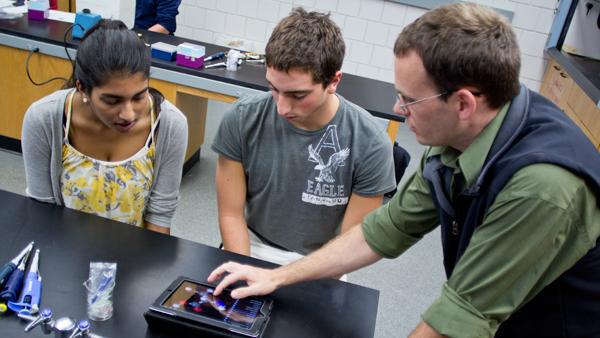
A different kind of apple is appearing on more and more teachers’ desks.Educators around the country at almost all academic levels are leaning toward utilizing Apple devices, like iPads, as predominant tools for learning and instruction.Following the Apple trend, Ithaca College has implemented a pilot program in which 40 iPads will be distributed to select faculty members — 20 in the fall and 20 in the spring — to help aid classroom instruction and collaboration.The program, which was developed through a collaborative effort by Information Technology Services and the Center for Faculty Excellence, was launched this semester. The goal is to “explore the use of tablet computing for their teaching, research and personal productivity,” as stated on the pilot program website. The pilot also aims to create a faculty iPad “community” through Sakai for instructional collaboration. Twenty professors across all five academic schools received their temporary iPads two weeks ago to use during the fall semester.Beth Rugg, assistant director of technology and instructional support services, said she believes the program will help the college gauge how it can better use portable devices to foster more in-depth instruction and learning.
Can you apply Google's 20% time in the classroom?

I love learning and am a big advocate of creativity. So when I read about Google's concept of '20% Time' I knew I had to find a way of sneaking it into the ethos of my classroom.
In short, Google offers its engineers 20% of their timetable to work on their own projects – things that they are truly passionate about and not things necessarily in their job description. Fairly radical. And I couldn't help thinking, if it works for Google, could it work for education?
22 Secrets from the Most Successful Online Educators
 The fundamentals that define a great teacher don’t differ much
whether classes are taught in the online setting or off, but there are
certain things that need greater emphasis and gain greater importance
when a teacher is working with students who aren’t in a traditional
classroom setting. Knowing how to highlight these things to help
students reach their potential and get more out of a course is what
separates online teachers who are good from those who are great.
The fundamentals that define a great teacher don’t differ much
whether classes are taught in the online setting or off, but there are
certain things that need greater emphasis and gain greater importance
when a teacher is working with students who aren’t in a traditional
classroom setting. Knowing how to highlight these things to help
students reach their potential and get more out of a course is what
separates online teachers who are good from those who are great.New study shows hand held technology improves primary pupils’ learning of grammar

According to a new study by the Institute for Effective Education (IEE) at the University of York, hand-held technology can help to improve primary pupils’ learning of grammar,
Researchers at the IEE conducted a large randomised evaluation in more than 40 primary schools of the use of Questions for Learning (QfL), a technology-enhanced, self-paced learning tool. It was found to enhance grammar achievement and was particularly effective for average- and low-achieving pupils. If these results held over a school year, these pupils would make between three and four months of additional progress.
Ginkgotree: Digital Course Packets Made Easier

Digital course materials were supposed to make things easier for students. Rather than purchasing photocopied packets assembled from journal articles, book excerpts and the like, students could get PDFs — downloadable and readable online across multiple platforms, printable for offline studying. Of course, students haven’t really flocked to digital materials, whether they’re textbooks or course packets, even though many companies are working on tech solutions aimed at them. The obstacles to adoption remain the format (the PDF) and the cost.
Scoop.it! A great way to read up on iPads in Education!

I would just like to quickly let you iPad teachers know of a great iPad resource: The iPads in Education Scoop.it page. This website is curated by John Evans,
and has many new and interesting articles every day regarding iPads in
education. The layout on the iPad is appealing and easy to maneuvre
around:
10 Apps for Documenting Learning

One of the things that really excites me about the iPad is the ability of the students to show their learning. I am not talking about the end product here, I am talking about the act of learning that can be shown by students recording their processes. It is often about the student putting the information they have learnt into a context. It is this contextualisation that helps the students create meaning. Here is a perfect example from a young 1st grade student who talks us through his investigation into transport. This example was shown on a recent school visit as one way a student could document their own learning. Our Lady of the Angels, Rouse Hill is an exemplar school combining principles of contemporary pedagogy with contemporary learning spaces.
Wednesday, October 3, 2012
Lightspeed Systems Announces New IT Focused Blog
 Tech Talk brings together technical product information with relevant edtech industry news
 Lightspeed Systems’ VP of Product Development, Rob Chambers, is bringing his vast product knowledge and educational technology expertise to readers with his new blog, Tech Talk. With a goal of reaching customers and non-customers alike, Tech Talk aims to provide clarity and generate discussion on pain points faced by district technology leaders and overall edtech industry news.
The Hybrid Classroom: Cheap, Effective, and Widely Accessible

Two Professors Want to Create “Consumer Reports” for EdTech Products

This week, GigaOM reported that two professors, Aaron Chatterji from Duke and Benjamin Jones from Northwestern, submitted a proposal for a nonprofit called EDU STAR that could review and rate education tech products. Like Consumer Reports, the source would provide third-party assessments to help consumers better understand what products work and are worthwhile.
How Google Drive Makes It Easier To Teach Writing
 Making my students switch from MS Word to Google Drive not only
eliminated the headache of incompatible versions and big email
attachments. It's made them better writers.
Making my students switch from MS Word to Google Drive not only
eliminated the headache of incompatible versions and big email
attachments. It's made them better writers.When I started teaching college writing and journalism classes five years ago, the choice was to have students submit assignments the way I had 15 years earlier -- as hard copy -- or as a Word document.
Tuesday, October 2, 2012
Google apps dominate the higher education sector

After six years targeting the education sector, Google says it has more than 20 million students, faculty and staff around the world using Google Apps for Education.
The search engine giant made the announcement in a blog post overnight, adding it had 72 of the top US universities using Apps for Education, and more than 400 universities posting lectures or courses online using YouTube Edu.
Edutopia: A guide to mobile devices for learning
Monday, October 1, 2012
STEM Educators… Explore This Amazing Free Physics Site For All Ages
 Welcome a post that will allow STEM educators to discover an
amazing free website filled with a
Welcome a post that will allow STEM educators to discover an
amazing free website filled with agoldmine of resources. It’s called Physics Central and I am sure you will find material that will become central to your STEM instruction. First, please take a moment to subscribe by email or RSS to my 21centuryedtech Blog and also give me a follow on Twitter at mjgormans. I promise you will find some great information coming your way through out the school year. In fact, get ready for new articles on PBL, STEM, technology integration and a continuation of my Word Cloud Series that included “108 Ways to Use Wordle in the Classroom“. Again, take a moment to share and retweet this article. Your effort is appreciated… Please enjoy this post filled with STEMtastic ideas. – Mike Gorman (http://21centuryedtech.wordpress.com)
11 Reasons Every Educator Needs a Video Strategy

How the Flipped Classroom Is Transforming Education
 As educators continue to search for ways technology can better engage
students, few tactics have received more interest than the flipped classroom.
As educators continue to search for ways technology can better engage
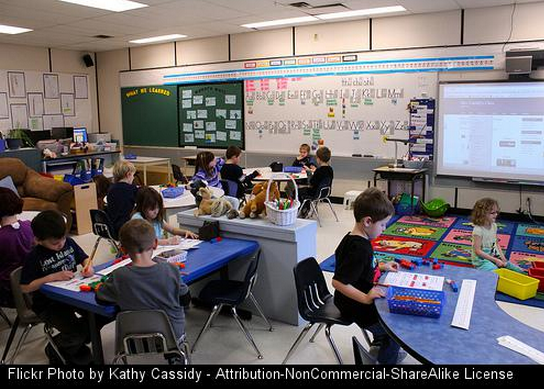
students, few tactics have received more interest than the flipped classroom.Spend a few minutes talking to students and it’s easy to see why the concept, in which educators record traditional lectures that students can view at home on their own, while using class time for collaboration and discussion, has garnered so much interest from schools.
5 FREE IPAD EDUCATION APPS

I
know we regularly take a look at great educational apps at Edgalaxy but
the vast majority of those apps do come at some expense. Se here is
our list of the top 5 free educational apps.
10 IPAD TIPS EVERY TEACHER SHOULD KNOW

As
a result of this, more of our staff are fronting up to work with iPads
as they can also see the benefits in using a tablet for conferencing
with students, checking email and using with their interactive white
boards.
The first questions I get from new users are generally "What can I do with it?" And "What apps should I have on it?"